Direct Delivery and Automatic Notification System/Where to Set the ANS URL
Jump to navigation
Jump to search
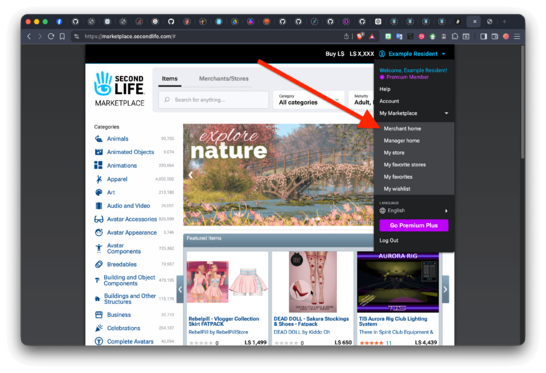
- Navigate to https://marketplace.secondlife.com
- Make sure you're logged in to your merchant account (here we use "Example Resident" as a placeholder).
- Open the dropdown menu by clicking on the blue arrow pointing down, next to your avatar's name
- Choose Merchant home:
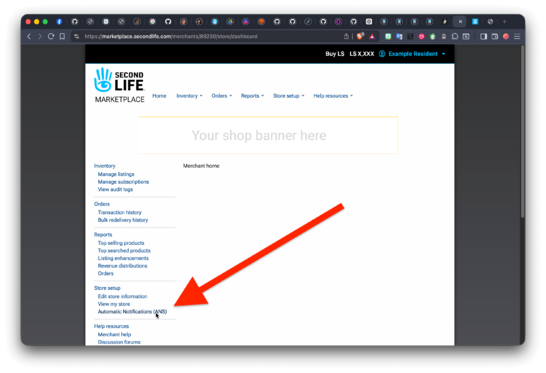
- From that page, select Automatic Notifications (ANS):
- You should have now the Automatic Notifications configuration page opened:
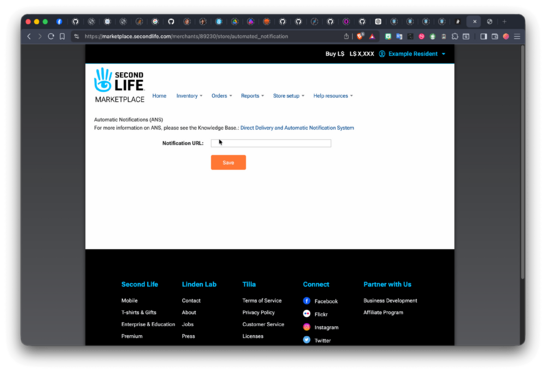
- Now type in the URL for your Notifications Processor (ex. https://example.com/cgi-bin/my-processor.sh) and press {Enter}}; the system should now display the 40-character-long Merchant Salt' number, showing up under the Notification URL.
- Remember: Every time you change the URL, you'll get a new salt.


